
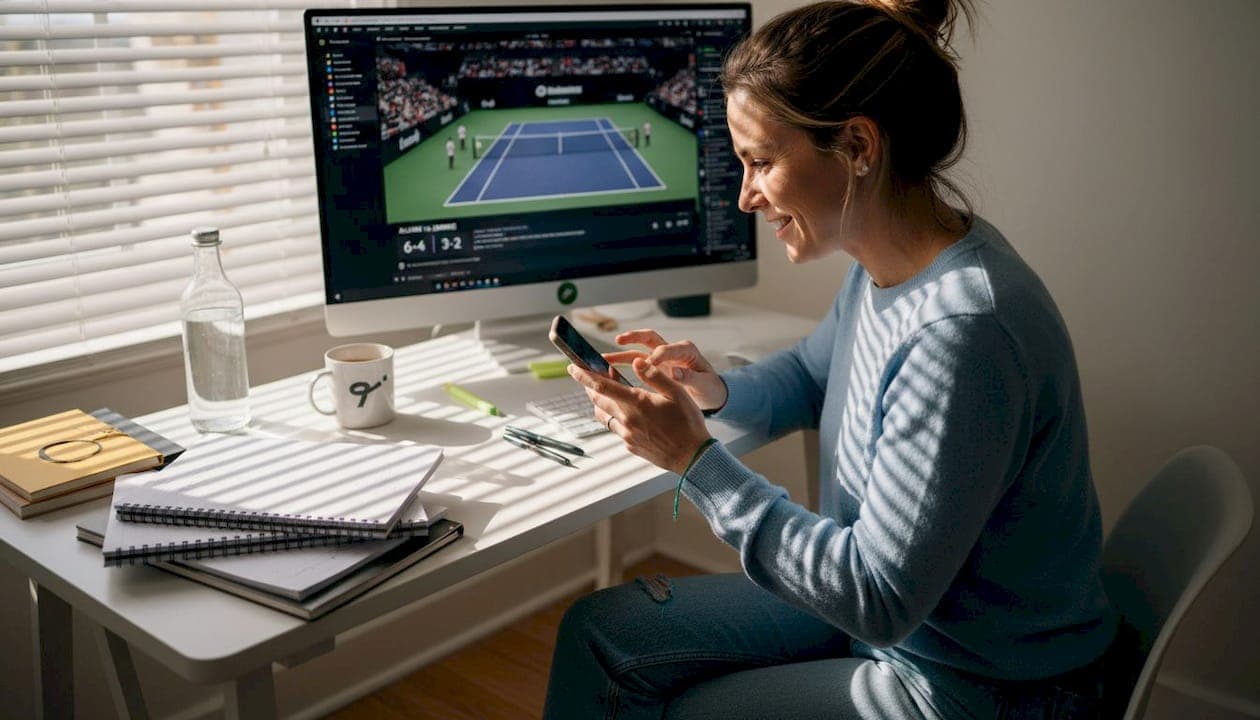
TL;DR:
- Real-time alerts provide critical updates on injuries, withdrawals, and match changes before lineup locks.
- Choosing specialized apps like Tweener ensures prompt, player-specific notifications integrated with fantasy strategies.
- Proper setup and troubleshooting of alerts give competitive players a significant tactical advantage in fantasy tennis.
Picture this: it's 20 minutes before a major tournament match, and your top-ranked fantasy player just withdrew with a wrist injury. You had no idea. By the time you log in to make a swap, the lineup is locked. That one missed alert cost you the league week. Real-time notifications are not just a convenience for competitive fantasy tennis players — they are a strategic weapon. This guide walks you through everything you need to know about setting up alerts correctly, choosing the right tools, avoiding common mistakes, and squeezing every tactical advantage out of your notification feed.
Table of Contents
- Understand the power of fantasy tennis alerts
- Essential tools and apps for tennis alerts
- Step-by-step: Setting up your fantasy tennis alerts
- Troubleshooting and common mistakes with tennis alerts
- Verifying accuracy and maximizing your fantasy edge
- Our perspective: What most players get wrong about fantasy alerts
- Take your fantasy tennis experience to the next level
- Frequently asked questions
Key Takeaways
| Point | Details |
|---|---|
| Real-time alerts matter | Getting immediate tennis updates keeps you competitive and allows proactive management of your fantasy team. |
| Choose the right apps | Selecting apps with robust notification options gives you better customization and coverage. |
| Personalize your setup | Tailor alerts to your fantasy roster and play style for maximum impact and fewer distractions. |
| Test for reliability | Regularly verify your notification settings to ensure you never miss critical updates. |
Understand the power of fantasy tennis alerts
To see why real-time alerts are so useful, let's explore their practical impact on your game.
Most fantasy tennis players check scores manually, usually during commercial breaks or lunch. That habit works fine for casual fans, but it is a real liability in competitive leagues. Tennis moves fast. A single retirement, a rain delay, or a sudden surface switch can flip your entire week's scoring potential upside down. If you are not getting notified the moment something happens, you are already behind.
The benefits of tennis apps go far beyond just watching scores tick over. Smart players use alerts to track injury reports, coaching changes, and even weather-related match postponements. These are the details that separate a reactive player from a proactive one.
Key benefits of real-time fantasy tennis alerts:
- Instant score updates keep you aware of momentum shifts and retirement risks
- Injury and withdrawal notices give you time to make roster swaps before locks
- Match start reminders prevent you from missing lineup deadlines entirely
- Breaking news alerts surface coaching changes or surface preference data
- Player performance streaks help you spot hot or cold form trends early
Here is a quick look at how alert types compare in terms of fantasy impact:
| Alert type | Fantasy relevance | Reaction window |
|---|---|---|
| Live score update | Medium | During match |
| Match start reminder | High | 15-30 min before |
| Injury or withdrawal | Very high | Immediate |
| Player news or form | High | Hours before match |
| Weather delay | Medium | Variable |
In fantasy team competitions, timing is everything. A player withdrawal alert received five minutes before the lineup lock means you can still act. The same alert received one minute after? You are stuck.
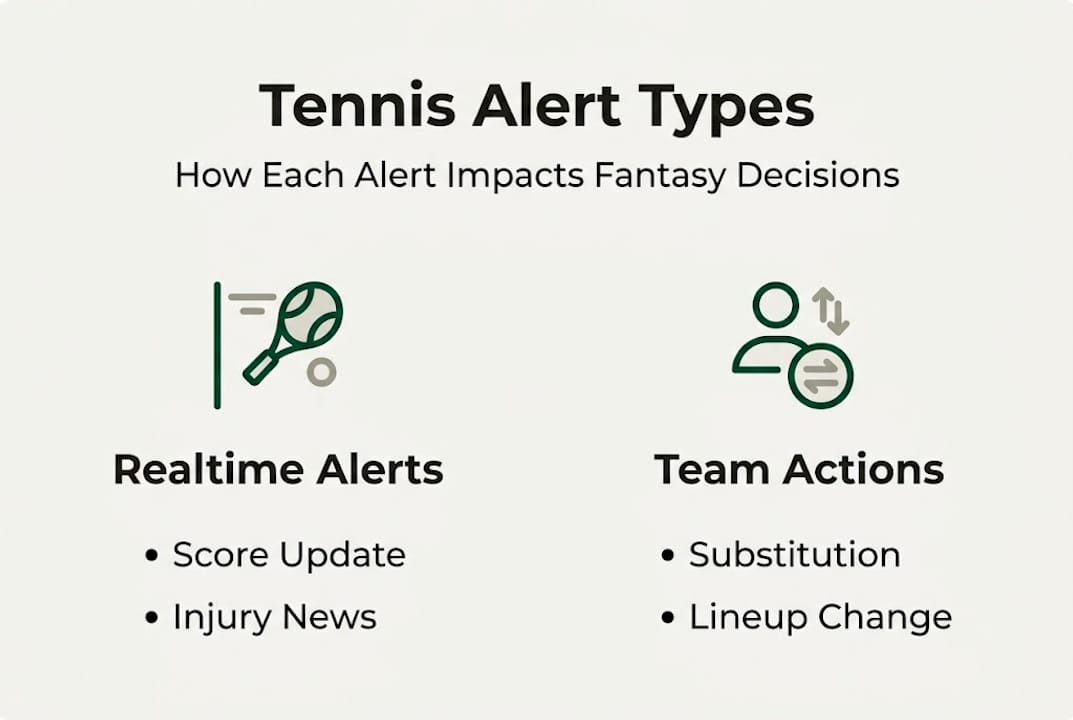
The Yahoo Sports app supports custom alerts for scores and news in tennis, including sync with Yahoo Fantasy for game start and change notifications. This kind of integration is a strong example of what modern alert tools can do.
Pro Tip: Do not limit your alerts to just your active roster players. Set notifications for your bench players and top waiver wire targets too. Knowing when a rival player is injured could be your biggest weekly advantage.
Essential tools and apps for tennis alerts
Knowing the value of alerts, selecting the best tool is the next step.

Not all apps handle tennis alerts equally. Some are built for broad sports coverage, while others go deep on customization and fantasy integration. Your choice should match how seriously you play and how quickly you need to respond to match events.
Here is a comparison of leading tools for fantasy tennis alerts:
| App | Live scores | Injury alerts | Fantasy integration | Player-specific alerts | Platform |
|---|---|---|---|---|---|
| Tweener | Yes | Yes | Full (built-in) | Yes | iOS and Android |
| Yahoo Sports | Yes | Yes | Yahoo Fantasy sync | Limited | iOS and Android |
| ESPN | Yes | Partial | ESPN Fantasy | Limited | iOS and Android |
| Tennis Abstract | No | No | None | No | Web only |
For players focused on real money tennis fantasy competition, Tweener stands out because its alert system is built specifically around professional tennis matches, ATP and WTA tournaments, and fantasy league timelines. You are not filtering through NFL scores to find a Wimbledon update.
The Yahoo Sports app remains a solid secondary option, especially if you run cross-platform fantasy leagues. Its custom alert configuration lets you set score and news updates by sport, which includes tennis.
What to look for in a fantasy tennis alert tool:
- Player-level alert customization, not just tournament-wide notifications
- Push notification delivery within seconds of events
- Two-way fantasy integration (alerts that link directly to roster management)
- Offline reliability and battery-friendly background sync
Pro Tip: Run two apps simultaneously during a major tournament: Tweener for your fantasy decisions and a general sports app for broader news coverage. You will catch things one app alone might miss.
Step-by-step: Setting up your fantasy tennis alerts
With your app chosen, now you'll want to set up alerts exactly how you need them.
Setting up alerts the right way takes about five minutes. Most players skip steps or use default settings, which is why they end up with either too much noise or too little signal. Here is how to do it properly in Tweener:
- Open the Tweener app and navigate to your profile or account settings
- Select Notifications from the settings menu
- Choose Tennis as your primary sport category
- Select your event types: enable pre-match reminders, live score updates, injury or withdrawal alerts, and breaking news
- Set player-specific alerts by visiting each player's profile page and toggling notifications on
- Choose your delivery timing: pre-match alerts should be set at least 30 minutes before scheduled match starts
- Enable system-level permissions on your phone so Tweener can push notifications even when the app is closed
- Run a test notification from within the app to confirm everything is working
Good fantasy team management strategies always start with reliable information. If your alerts are not firing correctly, you are flying blind during the moments that matter most.
"The single biggest lineup mistake fantasy players make is assuming they will check manually before every match. Set the alerts. Remove the assumption."
For players building tennis lineup tips into their weekly routine, timing your notification window matters as much as picking the right players.
The Yahoo Sports app follows a similar process: go to Settings, select Sport Alerts, choose Tennis, then configure the types of events you want pushed to your device.
Pro Tip: Enable your phone's "Critical Alerts" setting for your primary fantasy app. This bypasses Do Not Disturb mode, so a late-night injury announcement never goes unseen before a morning match lock.
Troubleshooting and common mistakes with tennis alerts
Even with the best apps and setup, issues can occur — here's how to handle them.
Alerts fail more often than people realize, and almost always because of something preventable. The most common culprits are permission settings, app updates, and over-customization that accidentally blocks important notifications.
Common alert problems and how to fix them:
- No notifications arriving: Check your phone's system settings to confirm the app has notification permissions. Reinstalling often resolves silent failures
- Delayed alerts: Make sure your device has a stable connection. Background data restrictions on mobile networks can throttle push notification delivery
- Too many irrelevant alerts: Narrow your settings to player-specific and event-specific categories instead of all-tournament broadcasts
- Missing player alerts: Confirm you have individually toggled notifications on each player's profile page, not just at the sport level
- Duplicate notifications: If using multiple apps, cross-check your alert categories to avoid getting the same news twice from different sources
To optimize tennis fantasy picks, your alert feed needs to be clean and relevant. A noisy notification stream causes alert fatigue, and you start ignoring the ones that matter.
"One wrong permission setting can silence your entire alert system. Five minutes of troubleshooting before a tournament starts is worth more than scrambling mid-match."
Using prediction strategies for fantasy requires accurate, timely data — and that only happens if your alert pipeline is healthy.
The Yahoo Sports app includes a built-in notification test feature under Settings that lets you confirm delivery before a live event.
Pro Tip: Set a calendar reminder the day before each major tournament to run a quick notification check. Treat it like a pre-match warm-up for your fantasy strategy.
Verifying accuracy and maximizing your fantasy edge
Once everything is working, let's make sure you never miss out and get the maximum value.
Setting up alerts is only step one. Using them strategically is what actually wins leagues. Here is how to build a consistent weekly verification routine:
- Monday: Review last week's alerts. Note which ones triggered lineup changes and whether those changes helped or hurt
- Tuesday: Check app update notifications and confirm all permissions are still active after any phone OS updates
- Wednesday: Set or refresh player-specific alerts based on that week's draw and match schedule
- Thursday: Run a test notification for each active alert category
- Friday: Confirm your match start reminders are set for all weekend fixtures
To track player performance effectively, pair your alert data with a simple notes system. When an injury alert triggers a roster move, log it. Over time, you will recognize patterns that sharpen your decision-making.
Here is a quick reference for matching alert types to your best response:
| Alert received | Best action | Time sensitivity |
|---|---|---|
| Injury or withdrawal | Swap player immediately | Very high |
| Match start reminder | Confirm lineup is locked in | High |
| Live score update | Monitor for retirement risk | Medium |
| Weather delay | Hold roster decision | Low to medium |
| Player news or form | Adjust future lineup planning | Medium |
The Yahoo Sports app allows you to sync custom alert schedules across devices, which is useful if you manage your fantasy team from both a phone and a tablet.
Pro Tip: After each tournament week, write down two or three alerts that influenced your lineup and what the outcome was. This post-match log becomes your personal strategy reference that gets smarter every week.
Our perspective: What most players get wrong about fantasy alerts
Bringing it all together, here's a crucial insight most guides overlook.
Here is what we see time and time again: players spend hours analyzing stats, researching matchups, and perfecting their lineups — then set up a single score alert and call it done. That is the real mistake.
Score alerts are the least actionable notification you can receive. By the time a score update fires, the match is already underway and your lineup is locked. The alerts that actually move the needle are the ones that arrive before the action: injury reports, withdrawal announcements, late lineup confirmations, and last-minute surface changes.
Savvy players treat their notification feed the way a trader treats a market alert system. You are not watching for results — you are watching for signals that let you act before everyone else does. Knowing even the basic fantasy tennis terminology around lineup locks and substitution windows makes a huge difference in how you respond to those signals.
The players who consistently win are not always the ones with the best player analysis. They are the ones who never miss a critical update.
Take your fantasy tennis experience to the next level
Ready to get started with a tool designed for tennis fans like you?
Tweener is built from the ground up for professional tennis fantasy players. The app delivers real-time alerts tied directly to your roster, your leagues, and the tournaments you care about. You are not adapting a general sports app to fit tennis — you are using a platform where every feature was designed with your fantasy decisions in mind.
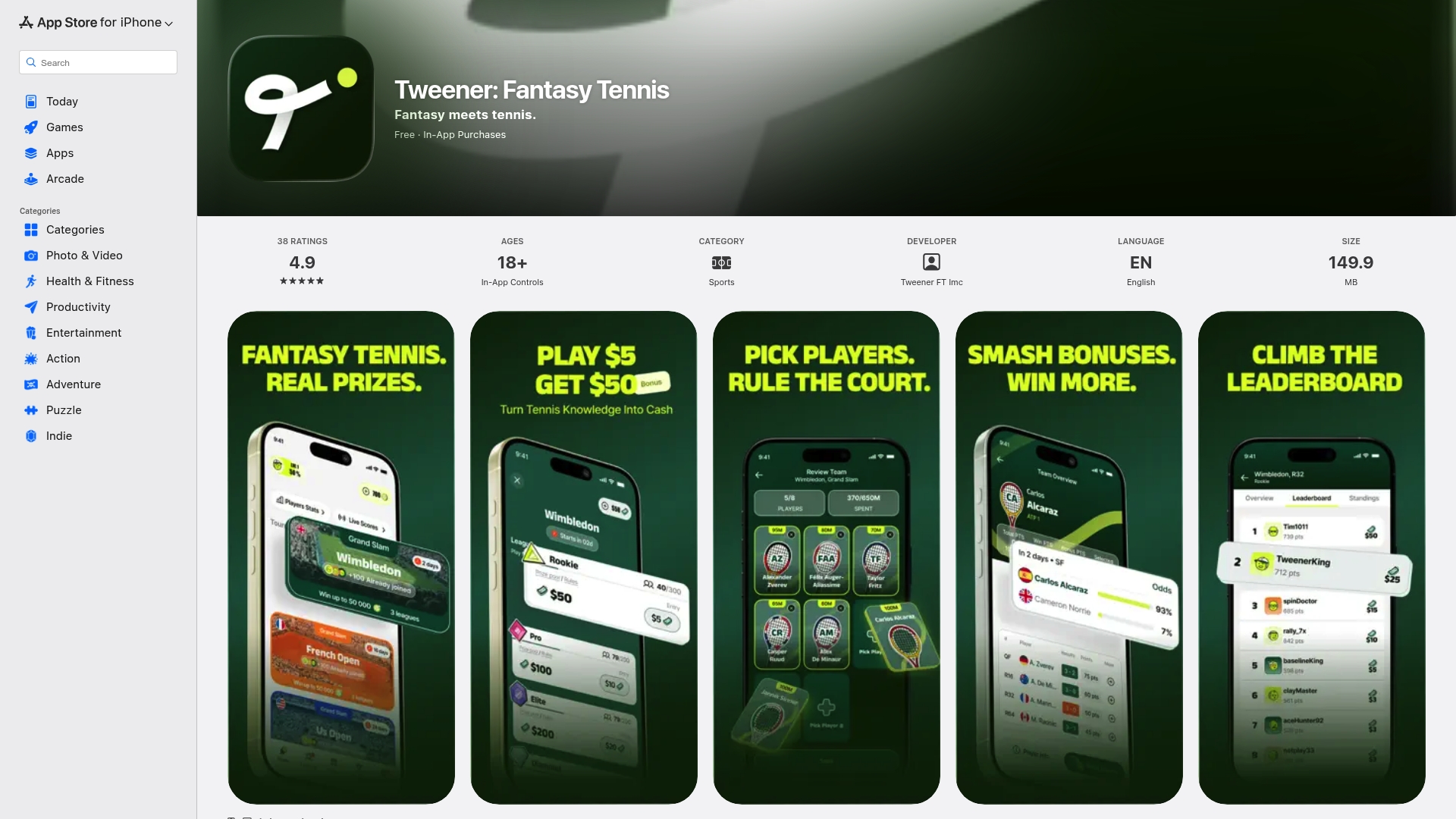
From customizable player-specific notifications to full team management tools, Tweener keeps you informed and ready to act. Review the Tweener game rules to understand how lineup locks and substitution windows work with your alert setup. Then download the Tweener app and start competing at a higher level. The Tweener platform is where serious tennis fans turn passive watching into active strategy.
Frequently asked questions
What types of alerts are most useful for fantasy tennis players?
Injury, withdrawal, and player news alerts deliver the most value because they arrive before lineup locks, giving you time to act. Score alerts are useful for engagement but rarely change what you can do in the moment.
How do I set alerts for just my fantasy team players?
Most platforms, including Tweener and the Yahoo Sports app, let you navigate to individual player profiles and toggle on player-specific push notifications separately from broad sport or tournament alerts.
What should I do if I stop receiving tennis alerts?
First, check your phone's system notification permissions for the app. Then review in-app alert settings. If issues persist, the Yahoo Sports app and Tweener both benefit from a fresh reinstall to reset background sync.
Do I need more than one app for comprehensive fantasy tennis alerts?
Pairing a dedicated fantasy tennis app like Tweener with a broader sports news app gives you both real-time lineup tools and wider tennis news coverage that no single app fully covers alone.
How fast are these notifications compared to live broadcasts?
Most app alerts arrive within a few seconds to two minutes of real-world events, though the Yahoo Sports app and similar platforms note that slight delays can occur depending on server load and your network connection.