

TL;DR:
- Managing your fantasy tennis roster effectively requires staying updated on player participation, injuries, and tournament schedules to avoid costly substitutions.
- Using strategic switches, budgeting credits wisely, and applying the Bonus Ball mechanic at optimal times can significantly boost your chances of winning.
There's nothing more frustrating in fantasy tennis than watching a player you picked sit out an entire tournament because of a withdrawal you missed — while your rival racks up points from a last-minute substitution. That single wasted roster spot can cost you a league matchup, a prize, or weeks of carefully built momentum. The good news is that with a clear, repeatable process, you can stop hemorrhaging points from avoidable mistakes. This guide walks you through every step of updating your tennis fantasy roster, from the initial draft to emergency late-week switches, so you never waste a slot again.
Table of Contents
- What you need before updating your fantasy tennis roster
- Step-by-step process to update your tennis roster
- Smart weekly roster management: switches, chips, and budget
- Avoiding common mistakes and troubleshooting last-minute changes
- The real power of disciplined roster management
- Ready to dominate? Try Tweener for smarter tennis roster management
- Frequently asked questions
Key Takeaways
| Point | Details |
|---|---|
| Prep with the right info | Check app guidelines, entry lists, and player news before each roster update. |
| Maximize free switches | Use your two weekly switches wisely to keep your lineup healthy and competitive. |
| Leverage Bonus Ball | Assign the Bonus Ball to your strongest performer each tournament for a significant points boost. |
| React to late news fast | Stay flexible and make last-minute changes to avoid losing points due to withdrawals or injuries. |
| Discipline beats luck | Consistent, careful management outperforms flashy picks in the long run. |
What you need before updating your fantasy tennis roster
Before you touch your roster, you need to know what game you're playing and what tools you're working with. The rules vary more than most players realize, and going in blind is how people blow their switch budget before week three.
If you're playing the official ATP game, here's your baseline: ATP Fantasy requires a 100-credit budget with six starting players and two alternates on every roster. That credit cap matters more than most beginners expect. Overspending on two or three elite players leaves you with bargain-bin picks filling the rest of your slots, and those weak spots become liabilities the moment the big names get injured or choose to skip a tournament.
If you're using a mobile app for your fantasy tennis league, the mechanics work a bit differently. Tweener Fantasy Tennis and similar apps are built to support live updates, lock-screen notifications, and round-by-round lineup decisions, but the specific rules around substitutions and late withdrawals are game-specific. Always verify the in-app FAQ before assuming a feature works the way you think it does.
Before your first roster lock, make sure you have:
- A confirmed player list for the upcoming tournament (ATP or WTA entry list)
- Current injury and withdrawal news from official tour sources
- Your app's substitution and scoring rules saved or bookmarked
- A shortlist of backup picks at multiple credit tiers
- Notifications turned on for lineup deadlines and score updates
Pro Tip: Use the drafting tennis players framework to build your shortlist before draft day. Players who know their targets in advance make faster, smarter decisions under deadline pressure.
Here's a quick comparison of what to check across different information sources:
| Source | What to check | Why it matters |
|---|---|---|
| ATP/WTA entry lists | Confirmed player participation | Avoids picking non-starters |
| Player social media | Injury hints or travel updates | Early warning before official news |
| App FAQ or help center | Substitution and scoring rules | Prevents rule misunderstandings |
| Fantasy rankings/tools | Credit value vs. projected output | Helps balance your 100-credit budget |
| Push notifications | Deadline and score alerts | Keeps you from missing locks |
For deeper help on balancing star power with budget-friendly depth, the choosing fantasy tennis players guide covers credit allocation in detail.
Step-by-step process to update your tennis roster
With your tools and app ready, you're set. Let's walk through the full roster update process step by step.
ATP Fantasy's official mechanics define a clear workflow that applies whether you're playing the official game or using it as a reference model. Here's how to execute it from start to finish:
1. Build your initial team within the 100-credit budget Draft six starters and two alternates. Don't just load up on the top two or three names. Think of your 100 credits as a salary cap, and make sure every player earns their spot with realistic scoring potential. A fifth-ranked player who plays six tournaments in a row will outscore a world No. 1 who skips clay season.
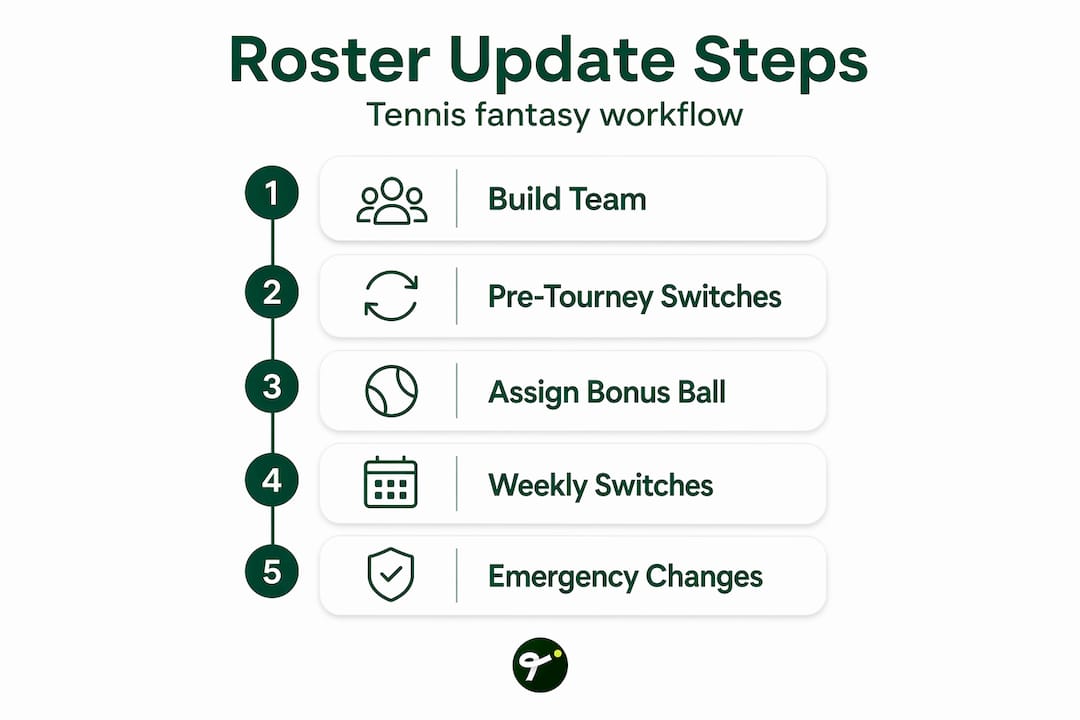
2. Lock in unlimited pre-tournament switches Before the first tournament week begins, switches are unlimited. Use this window aggressively. Test your lineup against the schedule, update based on confirmed entry lists, and remove any injury risks before the free window closes.
3. Assign your Bonus Ball for the week Each tournament week, you pick one player whose points get doubled. This is not a passive decision. Match the Bonus Ball to a player who has a favorable draw, is peaking on the current surface, and is likely to go deep in the tournament. A poor Bonus Ball pick is the single most expensive weekly mistake you can make.
4. Manage your two free weekly switches wisely After week one, you get two free switches per tournament week. Each unused switch rolls over, up to a maximum of eight. Don't use them just because they're there. Save two or three for a genuine emergency, like a surprise withdrawal or a player showing up clearly injured in practice.
5. Stay in emergency-switch mode throughout the tournament Fantasy lineup tips consistently point to one underused habit: treating one switch per week as an untouchable reserve until you absolutely need it. Withdrawals happen mid-tournament. Players get hurt in warm-ups. If you burned your last switch on a speculative upgrade Monday, you're stuck Thursday when the real crisis hits.
Here's how the switch economy looks week over week:
| Week | Free switches | Extra switch cost | Max rollover |
|---|---|---|---|
| Pre-tournament | Unlimited | N/A | N/A |
| Week 1+ | 2 per week | 50 points each | 8 total |
| Rollover cap | Accumulates | Spends from reserve | 8 max banked |
Pro Tip: Map your tournament calendar at the start of the season. Grand Slams and Masters 1000 events are worth banking switches for. Smaller 250-level events rarely justify spending a rolled-over switch unless you have a very specific targeting strategy.
Smart weekly roster management: switches, chips, and budget
Now that you have the step-by-step workflow, drill deeper into the weekly game mechanics that separate casual players from contenders.
The switch system in ATP Fantasy is deceptively simple on the surface but strategically rich once you start managing it over a full season. Two free weekly switches sounds like plenty, but across a season packed with 250s, 500s, Masters events, and Grand Slams, the wrong timing decisions add up fast.
Key principles for weekly switch management:
- Never use both free switches on the same upgrade. Split them across separate decisions to maximize flexibility.
- Track your rollover balance like a budget. Eight is the ceiling. If you're sitting at seven, you're either playing too conservatively or the season hasn't hit its crunch yet.
- Pair switches with the schedule. Clay season, hard court swings, and grass season each favor different player types. Time your switches to land the right specialists at the right moment.
- Extra switches cost 50 points each. That's a meaningful penalty. One unnecessary paid switch at the wrong time can cost you a ranking position in your league.
The Bonus Ball mechanic deserves its own strategic attention. Doubling one player's weekly points sounds straightforward, but the real skill is resisting the temptation to always apply it to your most expensive player. A lower-ranked player with a favorable draw can deliver higher expected value than a top-five seed facing a tough opponent in the quarterfinals. Run the math before you lock it in.
For deeper strategy on ATP fantasy winning tips, the principles around draw analysis and surface-specific picks translate directly into better Bonus Ball decisions every week.

Budget management over the long season:
Don't burn credits early on players who peak in one part of the season. Save budget flexibility for the back half of the year when you have more data on form and injuries. Strong fantasy team management means thinking three tournaments ahead, not just reacting to last week's results.
"The best fantasy managers aren't the ones who pick the most talented roster on paper. They're the ones who make the fewest costly mistakes in roster timing."
Avoiding common mistakes and troubleshooting last-minute changes
Even the perfect plan can hit snags. Let's make sure you're ready for the chaos of real-world tennis.
Tennis is one of the most unpredictable sports for fantasy because players travel constantly, play back-to-back weeks, and frequently withdraw from tournaments they originally entered. Late withdrawal management is one of the most critical skills in fantasy tennis, because a player who doesn't take the court earns you nothing while blocking a productive roster spot.
Common mistakes to avoid:
- Setting your lineup days before the tournament starts. Entry lists change. Confirm your picks within 24 hours of the first-round locks.
- Ignoring player fatigue signals. A player coming off a five-set final the week before often underperforms expectations at the next event.
- Treating all apps the same. Scoring systems, substitution windows, and withdrawal handling vary by platform. What works in one game can get you burned in another.
- Failing to enable push notifications. If you're not getting alerts before roster locks, you're operating on delay while other managers are reacting in real time.
- Using your emergency switch for a non-emergency. Save at least one switch for genuine crises. A player looking "slightly off" in practice is not the same as a confirmed withdrawal.
Use live tennis results to stay on top of form going into each tournament week. When combined with real-time tennis updates, you can often identify a player's momentum before the rest of your league reacts.
One often-overlooked troubleshooting step: read the specific rules in your app around retired players and mid-match withdrawals. Some platforms award partial points if a player completes at least one set before retiring. Others award nothing. Knowing this rule in advance tells you how aggressively to replace a visibly struggling player before their next match locks.
The real power of disciplined roster management
Here's what we've seen separate the long-term league leaders from the casual players who flame out by week six: it's almost never the initial draft. It's the decisions they make in the three hours before each roster lock.
Most casual players build a decent team, set it, and then check scores after the fact. They react to what already happened instead of positioning for what's about to happen. That's the fundamental gap. The best fantasy tennis managers treat roster management as an ongoing process, not a one-time setup.
What does disciplined management actually look like in practice? It means checking the draw as soon as it's released, not just the night before matches start. It means noticing when a player posts a cryptic social media update that might signal they're managing a physical issue. It means knowing your app's exact lock time and setting a personal deadline 30 minutes before that, so you never get caught in a technical glitch.
The other thing disciplined managers do differently is they track their switch budget as carefully as their credit budget. Running out of free switches in week four of a Grand Slam is the fantasy equivalent of fouling out in the first quarter. You're technically still in the game, but every move after that costs you.
Using live tournament updates isn't just about seeing scores. It's about reading momentum, spotting form, and making proactive decisions before your competition does. The information is available to everyone. The advantage goes to whoever acts on it first.
The uncomfortable truth is that most lost leagues are won or lost in the mundane weekly work, not the flashy draft picks. A boring, disciplined manager who never misses a deadline or wastes a switch will beat a brilliant but careless drafter almost every time.
Ready to dominate? Try Tweener for smarter tennis roster management
Want to put these roster management tips into action? The right tools make all the difference.
Managing a fantasy tennis roster manually, across multiple sources and without real-time alerts, is exactly how you miss the moves that matter most. Tweener is built specifically for this kind of active, decision-heavy tennis fan.
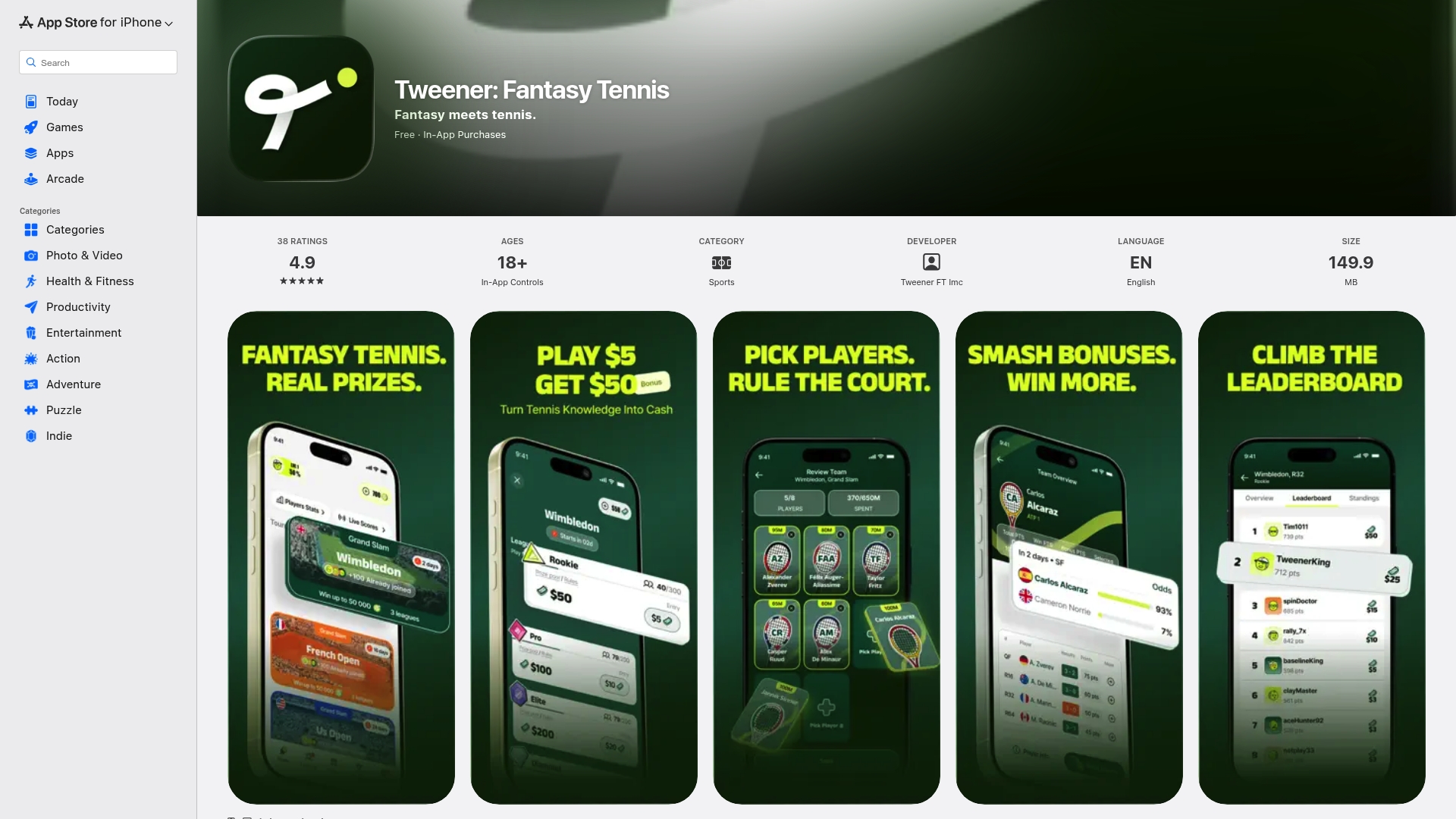
With the Tweener app, you get live updates, round-by-round lineup flexibility, and app-based alerts that keep you ahead of roster deadlines before they sneak up on you. Whether you're competing in free leagues using virtual coins or entering cash contests for real-money payouts, Tweener gives you the mobile-first tools to execute your roster strategy without scrambling. Download Tweener and start competing in leagues where your preparation and strategic roster management actually pay off.
Frequently asked questions
How do ATP Fantasy switches work each week?
After the initial unlimited pre-tournament window closes, you get two free switches per tournament week, with unused ones rolling over up to a maximum of eight. Extra switches beyond your free allowance each cost 50 points.
What happens if a player withdraws or retires before my fantasy roster locks?
A player who doesn't take the court typically earns no fantasy points, which wastes your roster spot. Check entry lists and injury updates right before your lineup locks to catch late changes in time.
How does the Bonus Ball work in ATP Fantasy?
Each week you select one player, and their points for that tournament are fully doubled by the Bonus Ball mechanic. Prioritize players with a favorable draw and strong current form for the biggest weekly return.
Can I update my fantasy roster on mobile before every round?
Most fantasy tennis apps support round-by-round changes and send live updates directly to your device, but substitution rules vary by platform, so always confirm the specific guidelines inside your app before assuming a change will go through.