

A successful sports mobile app rests on five non-negotiable pillars: reliable live data, a fast and scannable UI, personalized push notifications, user profiles with social hooks, and a gamification layer that keeps users coming back after the final whistle. Everything else — streaming, advanced analytics, wearable integrations, real-money contests — layers on top of that foundation.
MVP priority order:
- Live data feed + score display (the core value proposition)
- Push notifications with match-event triggers
- Basic user profiles and session persistence
- Event analytics and error tracking
- Offline caching with last-known-state display
Three technical choices that determine everything else:
- Data source: Official league feed, commercial aggregator (e.g., Sportradar, Stats Perform), or partner/scraped feed — your choice here sets your latency floor and licensing cost ceiling.
- Low-latency delivery: WebSocket for critical score events; Server-Sent Events (SSE) or HTTP/2 push for secondary updates; polling only as a fallback.
- Caching strategy: Edge caching (CDN) for static assets and match metadata; in-memory caching (Redis) for live event state; local device cache for offline graceful degradation.
Get those three right before you write a single line of UI code.
Table of Contents
- What are the key elements of sports mobile apps?
- How do you design for both athletes and fans without bloating the UI?
- What tech stack and data providers should you choose?
- How do monetization models and U.S. compliance interact?
- What SLOs and monitoring does a live sports app need?
- How do you QA a live sports app before and during events?
- How should you prioritize features across a 3, 6, and 12-month roadmap?
- Implementation checklist for PMs and dev leads
- How do wearable integrations fit into a sports app?
- Key Takeaways
- Useful sources and further reading
What are the key elements of sports mobile apps?
Research analyzing sports apps across 16 sport types found that live updates, training tools, and betting tips dominate user demand — and that the top complaint categories are ads, bugs, and stale data. That finding should shape your entire feature priority stack.
Live scores and play-by-play
The core promise of any sports app is that the score is right, right now. Users detect stale data faster than you'd expect — any noticeable lag on a goal or a set point feels broken. The Finch's work on live-score UX makes the point plainly: live data must feel live, not just be live. That means surfacing the most recent event at the top of the match page, not buried in a timeline.
Latency vs. use case reference:
| Event type | Acceptable delay | Recommended delivery |
|---|---|---|
| Score change / point won | Under 2 seconds | WebSocket push |
| Play-by-play timeline update | 5–10 seconds | SSE or WebSocket |
| Match statistics refresh | 15–30 seconds | Polling or SSE |
| Highlights / video clip available | 30 seconds | Polling + CDN notification |
| Standings / bracket update | 60 seconds | Polling |
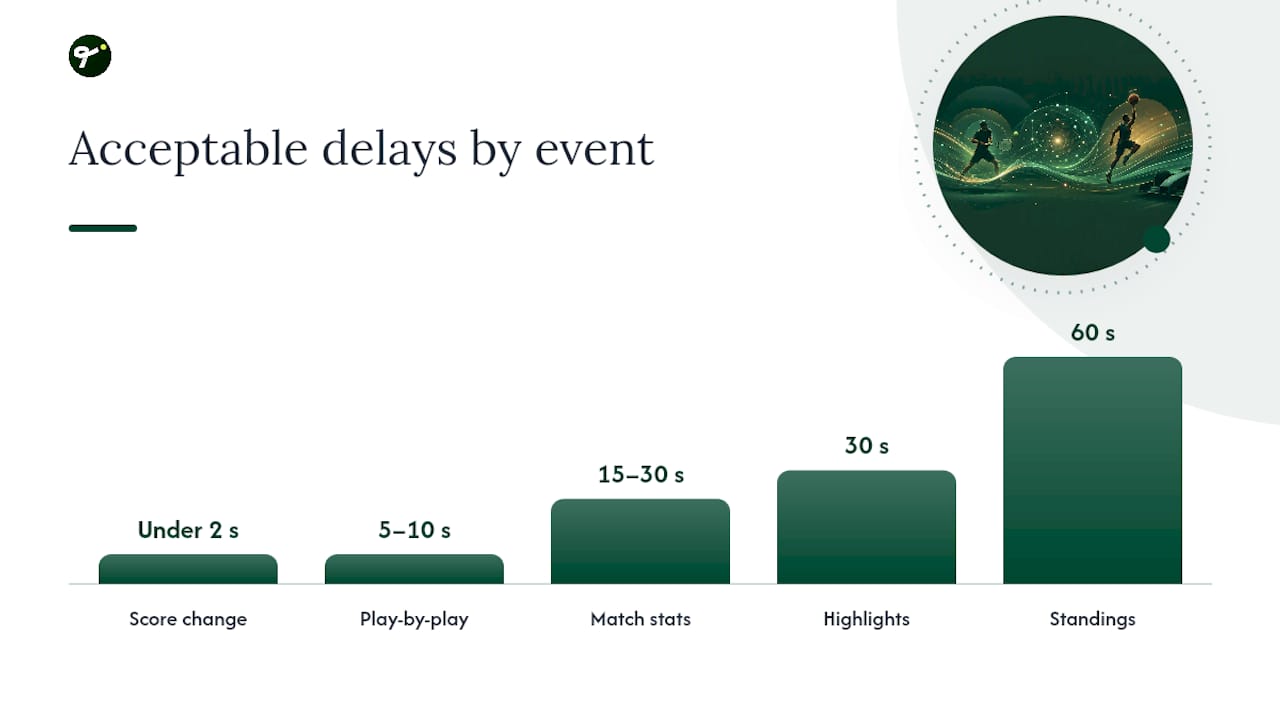
Pro Tip: Split live-data responsibilities across channels. Push WebSocket events only for score-critical moments (goal, point, wicket). Use SSE for secondary timeline updates. Use polling for stats and standings. This reduces WebSocket connection overhead by roughly two-thirds on a typical match-day load.
Push notifications
TechCrunch's analysis of notification psychology is direct: the right alert at the right moment re-engages a user who has left the app; a poorly timed one gets the entire notification category disabled. For sports apps, that means match-start reminders, score-change alerts for followed teams, and contest-deadline nudges — each with a user-controlled frequency cap.
Minimum viable notification types:
- Match-start alert (15 minutes before, opt-in)
- Score-change push for followed players or teams
- Contest entry deadline reminder
- Leaderboard position change (for fantasy/contest products)
- Personalized "your player just won a set" trigger
User profiles, social features, and leaderboards
A profile is more than a login. It stores preferences, followed athletes, notification settings, and contest history. Social features — friend leagues, activity feeds, head-to-head records — are what convert a single-session user into a weekly one. SportsFirst's 2026 feature analysis identifies leaderboards, rewards wallets, and live polls as the features most correlated with repeat match-day visits.
Gamification doesn't need to be complex at launch. A points-based leaderboard tied to prediction accuracy or fantasy performance, combined with a simple rewards wallet (virtual coins redeemable for gift cards, for example), creates a retention loop that costs far less to build than a full streaming integration.
Video highlights and streaming
Video is high-complexity, high-cost, and high-impact. For an MVP, embedded highlight clips via a CDN-backed video player (HLS delivery through AWS CloudFront or similar) is the practical path. Full live streaming requires broadcast rights, which are expensive and jurisdiction-specific. Start with short-form highlights; add live streaming only when licensing and CDN egress costs are justified by user volume.
Analytics and event tracking
You cannot improve what you cannot measure. Instrument every key action from day one: match page views, notification opens, contest entries, session length by match state, and error events. Tools like Amplitude, Mixpanel, or Firebase Analytics give you the event pipeline; the discipline is in defining your event taxonomy before launch, not retrofitting it after.
How do you design for both athletes and fans without bloating the UI?
Athletes and fans use sports apps for fundamentally different reasons, and STRV's design research frames the tension clearly: athletes want clarity and progress tracking; fans want fast emotional engagement. The best apps serve both without forcing either group through the other's experience.
Athlete persona — top three needs:
- Precise performance data (split times, serve speed, H2H stats, surface win rates)
- Progress tracking over time (trend lines, personal bests, training logs)
- Low-noise interface — no ads, no social clutter during a session
Fan persona — top three needs:
- Instant score and event updates, ideally one glance
- Social context (how friends are doing in the league, reactions, predictions)
- Emotional hooks — highlights, drama moments, contest stakes
UX patterns that satisfy both
Progressive disclosure is the highest-ROI pattern here. Show the score and match status at the top; put detailed stats one tap deeper. Athletes drill in; fans stay at the surface. Neither group feels the other's content is in the way.
Dual landing states let you personalize the home screen based on onboarding intent. A user who identifies as an athlete sees their training dashboard first; a fan sees live scores and their fantasy league standing. HumbleTeam's UX principles for sports apps list one-handed navigation, gesture controls, and smart notifications as the patterns that hold both groups — because both check the app in short bursts, often while doing something else.
Segmented notifications prevent the fan from getting training reminders and the athlete from getting fantasy-league score alerts. Capture intent at onboarding and use it to set default notification categories.
Persona-led wireframe checklist:
- Athlete first screen: current training metric, next session, recent performance trend
- Fan first screen: live match score, fantasy league rank, next contest deadline
- Both: one-tap access to match detail, notification settings visible in profile
- Both: offline state clearly labeled ("Last updated 2 min ago")
Pro Tip: During onboarding, ask one question: "Are you here to track your own performance or follow the sport?" Use the answer to set the default app shell, default notification categories, and home screen widget order. This single personalization step measurably reduces early churn — users who see relevant content in the first session are far more likely to return.
Second-screen behavior is well-established among U.S. sports fans, which means your app competes with the TV broadcast for attention. Short sessions, one-handed use, and thumb-zone-first navigation aren't nice-to-haves — they're table stakes for the U.S. market.
What tech stack and data providers should you choose?
The right architecture depends on your scale target and budget, but a few choices narrow the field quickly.
Backend architecture options:
- Serverless (AWS Lambda, Google Cloud Functions): Low operational overhead, cost-effective at low-to-medium traffic, cold-start latency is a risk for real-time paths.
- Containerized microservices (Kubernetes, ECS): Better for sustained high-throughput match-day loads; higher operational complexity.
- Hybrid: Serverless for async jobs (notifications, stats aggregation); containers for the real-time data fan-out path. This is the most common pattern for mid-size sports apps.
Real-time delivery protocols:
- WebSocket: bidirectional, low-latency, best for score-critical events; requires connection management at scale.
- SSE (Server-Sent Events): simpler than WebSocket, one-directional, works over standard HTTP/2; good for timeline updates.
- HTTP/2 Server Push: useful for pre-loading match metadata; not a substitute for event streaming.
Push notification services: Apple Push Notification service (APNs) and Firebase Cloud Messaging (FCM) are the two platform-native services. Third-party delivery layers like OneSignal, Braze, or Iterable add segmentation, A/B testing, and delivery analytics on top.
Sports data provider comparison:
| Provider type | Typical latency | Coverage | Cost tier | Best for |
|---|---|---|---|---|
| Official league feed | 1–3 seconds | Sport-specific, authoritative | High | Premium products, licensed apps |
| Commercial aggregator (Sportradar, Stats Perform) | 2–5 seconds | Multi-sport, global | Medium–High | Most commercial apps |
| Partner / white-label feed | 5–15 seconds | Varies | Low–Medium | Early-stage, budget-constrained |
| Web-scraped feed | 10–60+ seconds | Broad but unreliable | Low | Prototyping only |
Integration checklist for any data feed:
- Authentication: OAuth 2.0 or API key rotation policy defined
- Event schema: canonical field names mapped to your internal model before any UI work
- Timestamp canonicalization: all events in UTC, converted at display layer
- Idempotency: duplicate event handling at the ingestion layer (feeds re-send events)
- Replay/backfill: confirm the provider supports event replay for missed windows
How do monetization models and U.S. compliance interact?
Sports apps have five practical revenue paths, and the one you choose first shapes your compliance obligations significantly.
Monetization options:
- Freemium with virtual currency: Users earn coins through gameplay; coins redeem for rewards. Low legal risk, strong retention loop. This is Tweener's free-mode model.
- Entry fees for skill-based contests: Users pay cash to enter fantasy or prediction contests; winners receive payouts. Highest revenue potential, highest compliance burden.
- Subscriptions: Premium features (ad-free, advanced stats, early access) behind a monthly or annual paywall. Predictable revenue, lower average revenue per user than contest fees.
- Advertising: Banner, interstitial, and rewarded video ads. Easy to implement; research on sports app reviews consistently flags intrusive ads as a top complaint, so placement discipline matters.
- Commerce and partnerships: Merchandise, ticket integrations, sponsor activations. Relevant at scale; not an MVP priority.
Cost drivers that affect unit economics:
- Live-streaming CDN egress (charged per GB delivered — scales fast with video)
- Sports data feed licensing (often annual contracts with per-API-call overages)
- Payment processing and payout fees for cash contests
- Identity verification and age-gating for real-money features
- Fraud mitigation tooling (especially for contest integrity)
U.S. legal flags for cash contests:
The skill-vs.-gambling distinction is the central legal question. Fantasy sports contests where outcomes depend predominantly on participant skill (player selection, lineup strategy) are generally treated differently from games of chance under most U.S. state laws, but the legal landscape varies by state and changes. Age verification (18+ minimum, 21+ in some states) is mandatory. Payment processing for real-money contests requires working with processors that support gaming or fantasy-sports merchants. Before launching any cash contest feature, get qualified legal counsel familiar with U.S. fantasy sports law — this is not an area where a blog post substitutes for advice.
Pro Tip: Launch with virtual currency first. It lets you validate contest mechanics, retention loops, and leaderboard engagement before you take on the compliance overhead of real-money payouts. Tweener's coin-based free mode is a direct example: users build habits and understand the product before any cash changes hands. When you do add cash contests, the user behavior data from the virtual-currency phase tells you exactly which contest formats convert.
What SLOs and monitoring does a live sports app need?
Production reliability for a live sports app is not the same as for a standard SaaS product. Your worst outages happen exactly when traffic is highest — match start, a dramatic set point, a tournament final.
Example SLOs to target:
- 99.9% availability for match pages during live event windows
- 95% of score-change events delivered to clients within 2 seconds of feed ingestion
- 99% of push notifications delivered within 30 seconds of trigger
- Video playback start time under 3 seconds on a 4G connection
Monitoring and observability checklist:
- Latency histograms on the data ingestion path (p50, p95, p99)
- Error budget tracking against each SLO, reviewed weekly
- Synthetic transactions that simulate a user opening a live match page every 60 seconds during event windows
- Replay-capability alerts: detect when the feed stops sending events and trigger a backfill request automatically
- CDN cache-hit rate monitoring (a drop signals origin overload)
Operational checklist for live events:
- Cache TTLs: live event objects set to 1–2 seconds; match metadata set to 60 seconds; static assets set to 24 hours or longer
- Cache invalidation: event-driven invalidation on score change, not time-based polling
- Fan-out limits: cap WebSocket broadcast fan-out per match to prevent thundering-herd on popular events
- Graceful degradation: if the live feed drops, display last-known score with a visible timestamp ("Score as of 2:14 PM") rather than a blank or error state
Pro Tip: Use staged telemetry sampling. Sample 100% of events for critical paths (score ingestion, push delivery, contest entry) and 5–10% for lower-priority paths (stats page views, profile updates). This keeps your observability costs manageable while preserving full-fidelity alerting where it matters most.
How do you QA a live sports app before and during events?
Standard QA processes break down for live sports because the most important test scenarios require a live match to exist. You need a parallel synthetic-event infrastructure.
- Synthetic event replay tests: Record a real match event stream and replay it against your staging environment on demand. This lets you test score-update rendering, notification triggers, and leaderboard recalculation without waiting for a live match.
- Load tests with spike scenarios: Simulate the traffic pattern of a match start — a sudden 10x–50x spike in concurrent users opening the same match page. Tools like k6 or Locust work well here. Test your WebSocket fan-out, CDN behavior, and database connection pooling under this load.
- Integration tests for data feeds: Validate that your ingestion layer handles duplicate events, out-of-order timestamps, and feed reconnections without corrupting match state.
- End-to-end video playback tests: Automated tests that open a highlight clip, measure time-to-first-frame, and verify HLS segment delivery across simulated network conditions (3G, 4G, WiFi).
- Push notification validation: Synthetic users that receive a notification and verify delivery latency, deep-link routing, and correct payload content.
Incident playbook outline:
- Detection: Automated alert fires within 60 seconds of SLO breach; on-call engineer acknowledges within 5 minutes.
- Containment: Roll back to last-known-good feed state or switch to backup provider if available; enable graceful degradation mode.
- Customer communication: In-app banner ("We're aware of a data delay and are working on it") within 10 minutes of confirmed incident.
- Post-mortem checklist: Root cause, timeline of events, data accuracy impact (were any scores wrong?), user trust restoration steps (proactive notification when service restores).
Pro Tip: Create a match-day runbook with named owners for three roles: feed health (backend engineer), CDN and video delivery (infrastructure), and customer communications (product or support lead). Run a tabletop exercise against a simulated incident before your first major event. Teams that have practiced the playbook respond in minutes; teams that haven't spend the first 20 minutes figuring out who owns what.
How should you prioritize features across a 3, 6, and 12-month roadmap?
The decision matrix is simple: build what proves product-market fit first, then add what improves retention, then add what expands revenue.
Month 1–3 (MVP):
- Live score display with WebSocket delivery
- Match pages with basic stats
- Push notifications (match-start, score-change)
- User profiles with authentication (Sign in with Apple, Google)
- Basic leaderboard or contest with virtual currency
- Event analytics instrumentation (Amplitude or Firebase)
- Offline graceful degradation (last-known score with timestamp)
Acceptance criteria: Day-7 retention and match-day session length targets that indicate healthy user engagement; notification opt-in rate targets that indicate solid user interest.
Month 4–6:
- Social features (friend leagues, activity feed, head-to-head)
- Gamification layer (points, badges, rewards wallet)
- Personalized notifications (segmented by followed player/team)
- Video highlights integration (CDN-backed HLS clips)
- Advanced stats and H2H data
Acceptance criteria: Day-30 retention and social feature adoption metrics indicating growing user engagement; leaderboard engagement metrics indicating active participation in contests.
Month 7–12:
- Real-money contest infrastructure (with legal review complete)
- Subscription tier (premium stats, ad-free experience)
- Wearable integrations (Apple Watch, Wear OS companion)
- Localization for target international markets
- Accessibility audit and WCAG 2.1 AA compliance pass
- Scalability hardening (load testing at 10x current peak)
Acceptance criteria: Cash contest conversion rates and subscription attach rates reflecting early monetization success; no critical data-accuracy incidents during major events.
Pro Tip: Keep licensing and streaming costs near zero in the MVP phase. Use a commercial aggregator's trial tier or a partner feed for early data. Delay video until later phases. The goal of the first three months is proving that users return for scores and contests — not that your CDN can handle 10,000 concurrent streams.
Implementation checklist for PMs and dev leads
Copy this into your sprint board. Each item includes a suggested owner and a definition of done.
Infrastructure and backend:
- Provision WebSocket server with auto-scaling group — Owner: Backend — Done when load test confirms stable connections at 5,000 concurrent users.
- Configure Redis for live event state caching — Owner: Backend — Done when cache hit rate exceeds 90% under simulated match load.
- Set up CDN (CloudFront or Fastly) for static assets and video — Owner: Infrastructure — Done when p95 asset load time is under 500ms globally.
- Implement event ingestion pipeline with idempotency and replay support — Owner: Backend/Data — Done when duplicate events produce no state change and replay restores correct match state.
- Configure APNs and FCM with delivery receipt tracking — Owner: Backend — Done when delivery rate exceeds 95% in staging.
Data feeds:
- Sign data provider agreement and complete API authentication setup — Owner: PM/Legal — Done when test events flow into staging environment.
- Map provider event schema to internal canonical model — Owner: Data/Backend — Done when all event types parse without errors across 10 replayed matches.
- Implement timestamp canonicalization (all events to UTC) — Owner: Backend — Done when no timezone-related display bugs appear in QA.
UX and frontend:
- Build match page with progressive disclosure (score surface, stats one tap deeper) — Owner: Frontend — Done when usability test confirms users find score in under 2 seconds.
- Implement offline state with last-known score and timestamp display — Owner: Frontend — Done when airplane-mode test shows correct degraded state.
- Build onboarding flow with persona capture (athlete vs. fan) — Owner: Frontend/Product — Done when A/B test shows personalized shell reduces day-1 drop-off.
Analytics and security:
- Instrument core events (match view, notification open, contest entry, error) — Owner: Frontend/Backend — Done when all events appear in analytics dashboard within 60 seconds of action.
- Implement age verification gate for any real-money feature — Owner: Backend/Legal — Done when legal counsel confirms compliance with applicable state requirements.
- Complete security review: API authentication, data encryption at rest and in transit, PII handling — Owner: Backend/Security — Done when penetration test returns no critical findings.
Legal gating for cash contests:
- Obtain legal opinion on state-by-state eligibility for skill-based contests — Owner: Legal/PM — Done when a written legal memo covers all target launch states.
- Implement state-based eligibility check at contest entry — Owner: Backend — Done when users in restricted states cannot enter cash contests.
How do wearable integrations fit into a sports app?
Wearable integration is a month-7–12 feature for most sports apps, but it's worth designing for from the start. The two dominant platforms are Apple HealthKit (iOS) and Google Health Connect (Android), both of which provide standardized APIs for reading workout data, heart rate, step counts, and activity sessions.
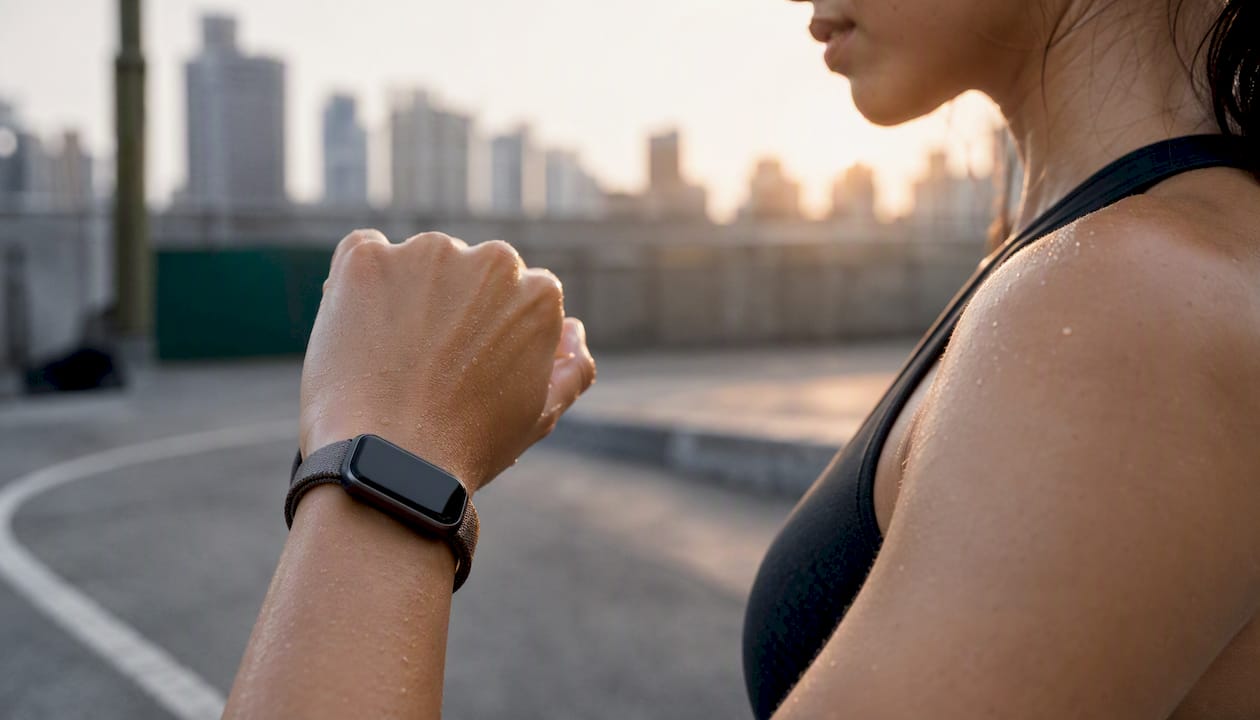
For athlete-focused products, wearable data unlocks genuinely useful features: training load tracking, recovery metrics, and performance trend overlays that combine wearable biometrics with match or workout results. For fan-facing apps, the integration is lighter — a companion Apple Watch or Wear OS app that surfaces live scores and contest standings on the wrist, optimized for glanceable one-line updates.
Performance tracking workflows that combine wearable data with match analytics give athlete users a reason to open the app on non-match days, which is one of the harder retention problems in sports apps. The practical implementation path: request HealthKit or Health Connect permissions during onboarding (only for users who identify as athletes), read the most recent workout session on app open, and surface a simple "your last session" card on the athlete home screen. Keep the wearable data local to the device unless the user explicitly opts into cloud sync — privacy expectations around biometric data are high, and the App Store and Google Play both scrutinize HealthKit and Health Connect permission requests carefully.
Key Takeaways
A sports mobile app succeeds or fails on three decisions made before any UI is built: the data source, the delivery protocol, and the caching strategy.
| Point | Details |
|---|---|
| Ship live data and notifications first | MVP must include a reliable data feed, WebSocket delivery, and match-event push notifications before any other feature. |
| Use virtual currency before real money | Validate contest mechanics and retention loops with coins before taking on U.S. cash-contest compliance obligations. |
| Instrument analytics from day one | Define your event taxonomy before launch; retrofitting it later costs more than building it right the first time. |
| Design for two personas, not one | Athlete and fan users need different home screens and notification defaults — capture intent at onboarding and personalize from session one. |
| Legal review gates cash contests | Get a written legal opinion covering all target U.S. states before enabling real-money entry fees or payouts. |
Useful sources and further reading
The sources below informed this guide directly. Each is worth bookmarking for the specific phase of your project it covers.
| Source | What you'll learn | When to use it |
|---|---|---|
| STRV: Engaging fans vs. elevating progress | How to design for athlete and fan mindsets without splitting the product in two | UX and persona work, wireframing phase |
| The Finch: Sports App UX Design | Progressive disclosure, thumb-friendly navigation, and live-score information hierarchy | UI design and live-data display decisions |
| HumbleTeam: Sports App Design Best Practices | Eight UX principles including gesture controls, offline modes, and smart notifications | UX pattern selection and notification strategy |
| SportsFirst: Top Sports App Features 2026 | Live polls, rewards wallets, leaderboards, and SportsAI personalization as retention drivers | Roadmap prioritization, month 4–6 features |
| arXiv: Analysis of sports apps | Feature frequency data across 16 sport types; top user complaint categories | Feature prioritization and quality benchmarking |
| TechCrunch: The psychology of notifications | Why notification timing and relevance determine whether users keep alerts on | Notification strategy and opt-in rate optimization |
| Statista: Second-screen sports usage | U.S. second-screen behavior patterns that justify short-session UX and low-latency design | Product case for fast updates and one-handed navigation |
| Medium (Maya Bennett): Sports app design best practices | Mobile-first constraints and fantasy flow optimization for reducing steps to contest entry | Fantasy UX flows, testing, and conversion optimization |
Tweener-specific reading for product context:
- Engaging fans vs. elevating progress: two sides of sports app design — STRV
- Sports App UX Design: Lessons from Designing for Cricket, Fantasy & Live Score Platforms — The Finch
- Sports App Design Best Practices: UX Patterns That Keep Fans Engaged — HumbleTeam
- Top Sports App Features Every Team Needs in 2026 | SportsFirst
- Analysis of sports apps (app review topics and functionality) — arXiv (mirror)
- The psychology of notifications — TechCrunch
- Second-screen sports TV usage statistics — Statista
- Sports app design best practices — Medium (Maya Bennett)